The same instructions and tone
What you write in the instructions — tone, rules, what it may do alone and what it hands over — applies in the chat exactly as on the phone. Channel-specific exceptions take one sentence.
Kolio is an AI chatbot for your website, embedded with one line of code. It answers from your knowledge base and follows the same instructions as on the phone and email, checks free slots in the Calendar or stock in connected systems, books appointments and captures inquiries, which it hands to your sales team as tasks in the CRM.
Free for 7 days · no credit card · one line of code
<script src="https://kolio.si/kolio-widget.js" data-key="YOUR_PUBLIC_KEY" defer></script>Prepared by the Kolio team · updated
You embed the Kolio AI chatbot for your website by pasting one line of code before the closing </body> tag — no plugin and no programming. The script places a small button (88 × 88 px) in the corner of the page that expands into the chat window on click; the chat itself runs on kolio.si in an isolated frame, so your site loads no extra library and stays fast. You get the line with your own public key in Kolio, in the web agent section, and it works with any site builder: WordPress, Shopify, Webflow, Wix or a custom site.
Set the accent colour, position (bottom right or left), icon (chat, bubble or headset), window title and greeting message in Kolio — without touching the code on your site.
Kolio replies in the language the visitor writes in — English, German, Slovenian or another — and when the visitor switches language, it switches completely. The widget's buttons and labels use your company's default language.
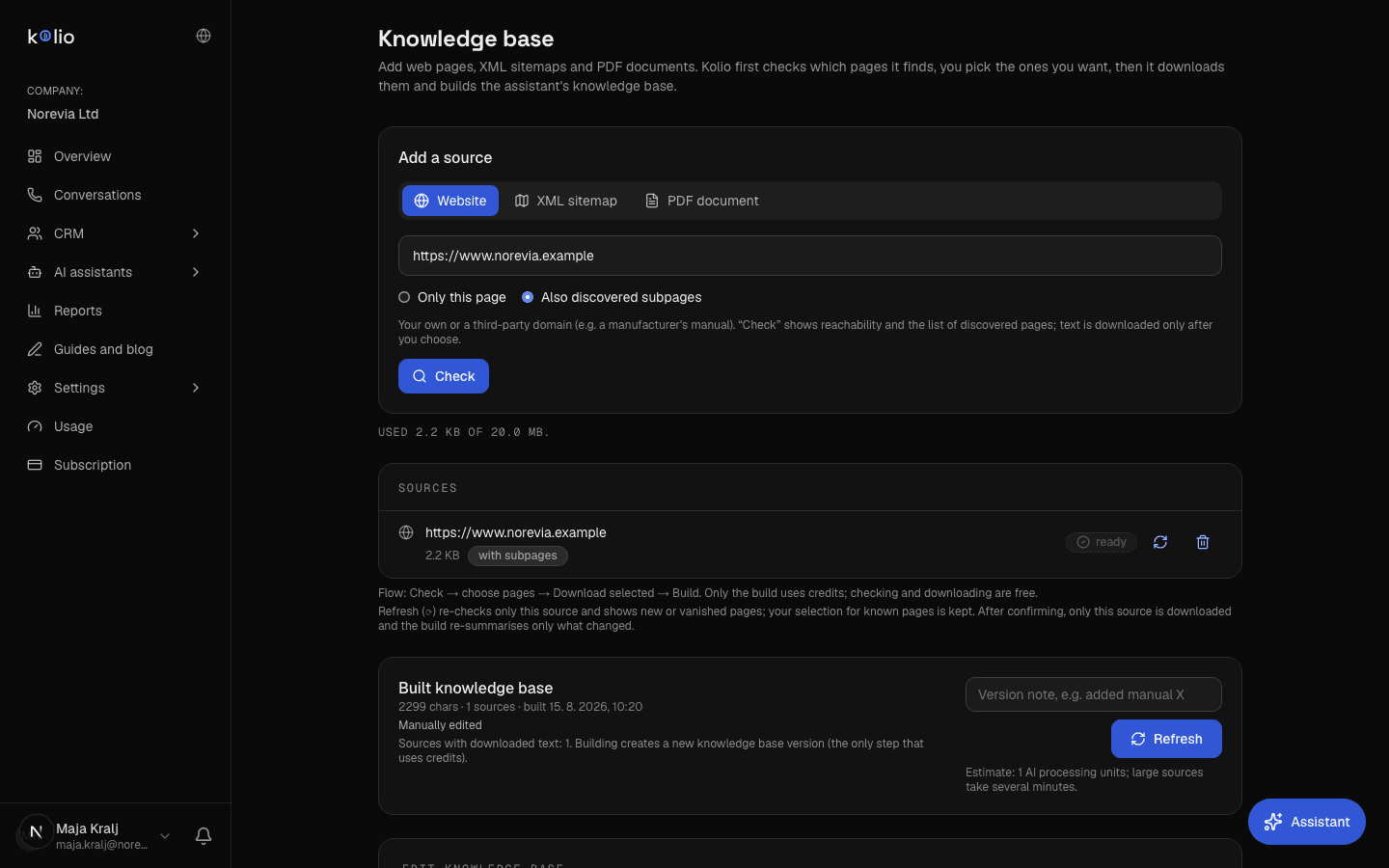
A chatbot trained on your own content is an agent that answers only from what you gave it — so Kolio first reads your website and builds a knowledge base from it. The crawl is not blind: the sitemap takes priority, fact pages (about us, contact, delivery, terms) come before the catalogue, and foreign-language versions and checkout paths are skipped. You can add PDFs up to 20 MB (price list, terms, manuals) and edit the content by hand; every save creates a new version and you can restore an older one at any time. The same knowledge base serves the website chat, the phone and email.
| Visitor's question | Where Kolio checks | What it does |
|---|---|---|
| “Do you have a slot on Thursday?” | Calendar (built-in or connected) | offers free slots, books, sends a confirmation and a reminder — on its own |
| “How much is it?” “Is it in stock?” | price list and stock, online store | answers from the current state, not from memorised text |
| “Where is my order?” | online store or ERP | identifies the visitor by order number or email, then reports the status |
| “What are your delivery / warranty terms?” | knowledge base (website, PDF) | answers from your content and quotes what applies |
| “Can I get a quote or a discount?” | — | does not guess: records the contact and requirements, creates a task for your sales team |
Kolio reads only what your company connects; what it may say and what it hands to your team is set in the instructions.
When a question is easier to show than to describe — a sketch, a product photo, an existing quote —, the visitor attaches the file right in the chat: PNG, JPEG, WebP, GIF or PDF, up to 4 MB per file and at most 3 per conversation. Every file is checked by its content, not just its name, before it is stored; disallowed types are rejected. The attachment is visible to your team next to the conversation and the task in the CRM.
What you write in the instructions — tone, rules, what it may do alone and what it hands over — applies in the chat exactly as on the phone. Channel-specific exceptions take one sentence.
A customer's chat, call and email sit on the same contact; in the next conversation the agent knows what was agreed in the previous one.
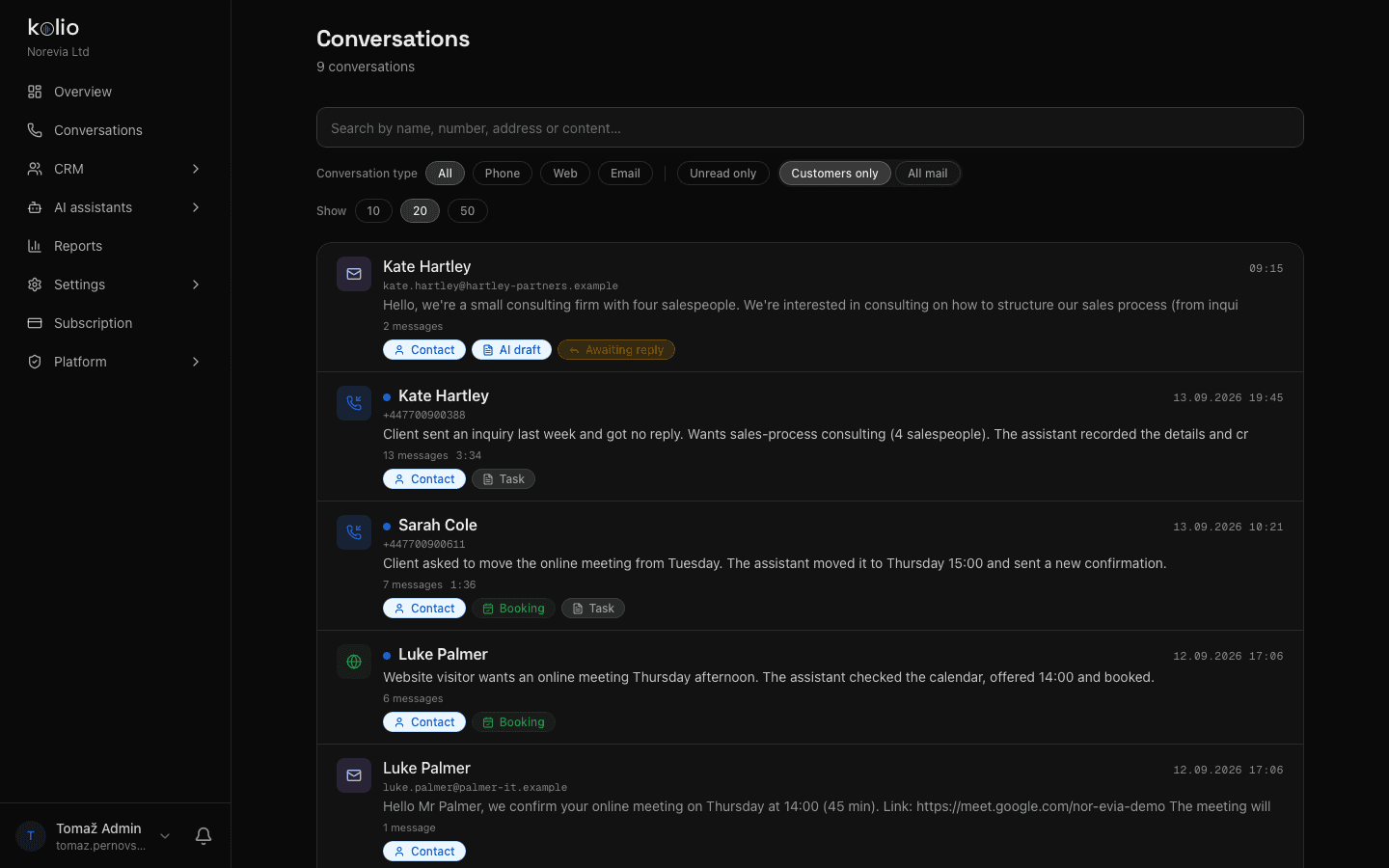
Conversations from your website appear in Kolio in the same view as phone calls and email — with the transcript, the outcome and the linked task or appointment.
Kolio reads your site and builds the knowledge base; add a PDF if you like. In the instructions you write, in plain sentences, the tone, what it may do alone and when it hands over to your team.
In the web agent section, switch the chat on, choose the colour, position, icon, title and greeting, and try it in the preview.
Copy the embed code with your public key and paste it before </body>. The first conversation with a visitor appears in Conversations — with the transcript and the outcome.
In your Kolio CRM, with the database in the EU (Frankfurt). A conversation is pinned to a contact if the visitor provides one; otherwise it stays without a contact — your team creates a new contact.
The widget sets no cookies and does not read your page; the conversation lives only in the open chat window. Bot protection is a daily message quota per visitor.
You set how long transcripts are kept; an individual's data export or deletion request is handled with one command, and attachments are deleted along with it.
The agent introduces itself with the name from the instructions and, when asked, says it is an AI agent. What it may ask and what it never asks (payment details, for example) is set in the instructions.
The Kolio AI chatbot works on any website that lets you add a script tag: WordPress, Shopify, Webflow, Wix, Squarespace or a custom site. The embed is one line of code with the customer's public key, pasted before the closing body tag; no plugin or programming is needed.
The Kolio AI chatbot does not noticeably slow down a site: the script loads deferred, places only a small 88 × 88 px frame on the page, and the whole chat runs on kolio.si in an isolated frame. Your site therefore loads no additional library, font or stylesheet.
Conversations from the Kolio website chat are stored in the customer's CRM, in a database in the European Union (Frankfurt), together with the transcript, the outcome and any attachments. The customer sets the retention period and can export or delete an individual contact's data on request with one command.
The Kolio chatbot replies in the language the visitor writes in — English, German, Slovenian or another — and when the visitor switches language it switches completely, including prices, times and dates. The widget's buttons and labels use the customer's default language.
A visitor can attach up to 3 files per conversation to the Kolio chat, each up to 4 MB, as PNG, JPEG, WebP, GIF or PDF. Every file is checked by its content and not just its name before it is stored; the attachment is visible to the customer's team next to the conversation and the task in the CRM.
The AI chatbot for your website is part of every Kolio plan at no extra charge: the subscription starts at €49 per month, and the first 7 days are free with no credit card. The same plan includes the phone, email, a CRM with tasks and a calendar.
Enter your website address, set the look and paste one line of code. You can read the first conversation with a visitor today.
Free for 7 days · cancel any time