What does the Kolio REST API do?
Kolio REST API is an HTTP/JSON interface under the base URL https://kolio.si/api/integrations/v1 through which an external system reads and changes the bookings (calendar), CRM contacts and tasks of one Kolio account; it authenticates with an API key that determines both the account (tenant) and the permitted scope.
All three entry points — the application UI, the REST API and the MCP server — write through the same business cores. A booking created over the API goes through the same location opening hours, free performer and overlap checks as one your team enters in the calendar; a task gets the same timeline as in the CRM. An integration therefore cannot create a record the application itself would refuse.
| Area | What you can do | Scope |
|---|---|---|
| Bookings (calendar) | list by period, single booking, create, move/change, cancel, permanent delete | bookings:read, bookings:write |
| Contacts (CRM) | list and search, single contact with notes, create, change with a note, delete | contacts:read, contacts:write |
| Tasks (CRM) | filtered list, single task with timeline, create, change with a comment, delete | tasks:read, tasks:write |
| Webhooks | push notifications about events to your URL, signed with HMAC-SHA256 | no scope — configured in the app |
Conversations, reports and the knowledge base have their own scopes, but REST v1 has no endpoints for them. Locations (branches with opening hours) are returned by GET /locations with the services:read scope; services are available through the list_services tool on the MCP server.
How do I create an API key?
An API key is created by a member with the Settings permission on the Settings → MCP sources and integrations page, in the API keys section; the full key is shown only once, and the database keeps only its SHA-256 hash and a visible prefix.
Open the integration settings
In the menu choose Settings → MCP sources and integrations. The upper part of the page, Kolio as a source for external systems, contains the API keys and Webhooks sections.
Settings → MCP sources and integrationsName the key
In Key name enter which system will use it (e.g.
ERP integration). The name goes into the audit trail: in a task timeline and in contact notes a change made over the API appears asapi:ERP integration, not as a person's name.Limit the scopes
Under Scopes tick the scopes the integration needs, e.g.
contacts:readandbookings:write. A key never exceeds your own permissions in this account: scopes you lack the matching permission for are disabled, and if they are requested outside the form Kolio refuses to create the key and lists the rejected scopes. If you tick nothing the key gets every scope you are allowed to issue — always as an explicit list, never*. We recommend the smallest set the integration needs.Create and store the key
Click Create key. A Key created box appears with the warning Save it now — it is shown only once. Copy the whole
kolio_sk_…string into your system's secret store. After a page refresh only the beginning of the key (the prefix) remains visible.Verify the key
Call the
GET /pingendpoint (example in the next section). The response returns the account id and the key's scopes.
How do I authenticate?
Send the key in the Authorization: Bearer kolio_sk_… header or in the X-API-Key: kolio_sk_… header; the account (tenant) is always derived from the key and never from the request body or URL, so one key can never reach another account's data.
curl -s https://kolio.si/api/integrations/v1/ping \
  -H "Authorization: Bearer kolio_sk_…"

# response
{
  "ok": true,
  "tenantId": "…",
  "scopes": ["contacts:read", "bookings:write"],
  "timestamp": "2026-09-15T08:12:03.512Z"
}/ping is the only endpoint whose response is not wrapped in data.All other endpoints return { "data": … } on success and { "error": "code", "message": "explanation in Slovenian" } on failure. The error code is stable and meant for program logic; the message is meant for people.
| HTTP | Code (error) | When |
|---|---|---|
| 401 | unauthorized | the key is missing, invalid or revoked |
| 403 | insufficient_scope | the key lacks the scope the endpoint requires (the message names the missing scope) |
| 403 | plan_feature | the account's plan does not include the REST API (for the MCP server: the MCP server feature); the message names the plan the feature starts at |
| 403 | tenant_inactive | the account's subscription or trial is no longer active — the key is valid but refused until renewal |
| 400 | invalid_json | the request body is not valid JSON |
| 422 | invalid_body | the body does not match the schema; the message names the first invalid field |
| 404 | not_found | no record with that id exists in this account |
| 422 | no_changes | a PATCH contains no field to change |
Scopes and permissions
Every API key scope maps to an existing member permission in Kolio, so a key never opens an area the application itself does not know; scopes are exact strings with no hierarchy — contacts:write does not include contacts:read.
| Scope | What it covers | Matching member permission | Changes data |
|---|---|---|---|
bookings:read | reading bookings (calendar) | Bookings | no |
bookings:write | creating, changing, cancelling and deleting bookings | Bookings | yes |
services:read | reading services (MCP) and locations (GET /locations) | Services | no |
contacts:read | reading contacts and their notes | Contacts | no |
contacts:write | creating, changing, annotating and deleting contacts | Contacts | yes |
tasks:read | reading tasks and their timeline | Tasks | no |
tasks:write | creating, changing, commenting on and deleting tasks | Tasks | yes |
conversations:read | conversations and transcripts | Conversations | no |
reports:read | reports | Reports | no |
knowledge:read | knowledge base | Knowledge base | no |
email:write | sending email on your behalf | Email marketing | yes |
REST v1 currently has no endpoints for conversations:read, reports:read, knowledge:read or email:write. email:write is deliberately not part of the default MCP connector set.
Which endpoints are available?
Integrations API v1 has eight paths: ping, locations plus two each for bookings, contacts and tasks — the collection (GET list, POST create) and the single record (GET, PATCH, DELETE); lists are limited by the limit parameter (default 50, maximum 200).
| Method and path | What it does | Scope | Parameters / fields |
|---|---|---|---|
GET /ping | checks the key | any | — |
GET /locations | active locations with address and opening hours (hours: weekday 0 = Sunday … 6 = Saturday, startTime/endTime HH:MM in the account's time zone) | services:read | includeInactive=1 |
GET /bookings | list of bookings, newest first; each booking carries locationId and locationName | bookings:read | from, to (ISO 8601), limit |
POST /bookings | creates a booking; fires booking.created | bookings:write | slotStart* and one of serviceId / durationMin / slotEnd; contactId, title, notes, assigneeEmail, locationId (required with several locations, otherwise the core picks the location where the slot fits) |
GET /bookings/{id} | single booking | bookings:read | — |
PATCH /bookings/{id} | move, change or cancel (status: cancelled fires booking.cancelled) | bookings:write | slotStart, slotEnd, serviceId, contactId, title, notes, assigneeEmail, locationId, status |
DELETE /bookings/{id} | permanently deletes a booking | bookings:write | — |
GET /contacts | list / search contacts | contacts:read | q, email, phone, externalId, limit |
POST /contacts | creates a contact; fires contact.created | contacts:write | at least one of firstName, lastName, email, phone; company, notes, tags, externalId, gdprConsent, marketingConsent |
GET /contacts/{id} | contact with notes (notes[]) | contacts:read | — |
PATCH /contacts/{id} | partial change; note appends a note | contacts:write | same fields as POST + note |
DELETE /contacts/{id} | permanently deletes a contact (e.g. a GDPR request) | contacts:write | — |
GET /tasks | list of tasks | tasks:read | status, assigneeEmail, contactId, q, limit |
POST /tasks | creates a task; fires task.created | tasks:write | title*; description, assigneeEmail, contactId, priority, dueAt, status |
GET /tasks/{id} | task with timeline (events[]) | tasks:read | — |
PATCH /tasks/{id} | partial change; comment adds a comment; fires task.updated | tasks:write | same fields as POST + comment |
DELETE /tasks/{id} | permanently deletes a task with its timeline | tasks:write | — |
An asterisk marks a required field. In a PATCH, fields you do not send stay unchanged; null (for tasks also an empty string) clears a field.
Bookings
curl -s -X POST https://kolio.si/api/integrations/v1/bookings \
  -H "Authorization: Bearer kolio_sk_…" \
  -H "Content-Type: application/json" \
  -d '{
    "slotStart": "2026-09-22T09:00",
    "serviceId": "<service id>",
    "contactId": "<contact id>",
    "locationId": "<location id from GET /locations>",
    "notes": "Booking from the webshop"
  }'

# 201
{ "data": { "id": "…", "slotStart": "2026-09-22T07:00:00.000Z",
            "slotEnd": "2026-09-22T07:30:00.000Z", "status": "confirmed",
            "serviceId": "…", "contactId": "…", "locationId": "…", "locationName": "Ljubljana",
            "source": "api", "…": "…" } }

# 422 — outside the location's opening hours, no free performer or assignee is not a member
{ "error": "booking_rejected", "message": "Termin je izven delovnega časa lokacije." }201.REST v1 does not offer a free-slot list; free times are returned by the find_free_slots tool on the MCP server. You can also check occupancy with GET /bookings?from=…&to=… together with the locations' opening hours from GET /locations, which you set in calendar and services. Writes over the API are strict: a slot outside the location's opening hours or without a free performer returns 422 booking_rejected; only the team can enter exceptions in the calendar.
| HTTP | Code | When |
|---|---|---|
| 422 | missing_duration | POST without serviceId, durationMin and slotEnd |
| 422 | invalid_slot | slotStart or slotEnd is not a valid ISO 8601 time |
| 422 | invalid_range | from or to on GET is not a valid time |
| 422 | booking_rejected | the core refused the booking: slot taken, unknown assignee, invalid service |
Contacts
curl -s -X POST https://kolio.si/api/integrations/v1/contacts \
  -H "X-API-Key: kolio_sk_…" \
  -H "Content-Type: application/json" \
  -d '{
    "firstName": "Ana",
    "lastName": "Novak",
    "email": "ana.novak@example.com",
    "phone": "+38640123456",
    "externalId": "erp-10482",
    "tags": ["webshop"],
    "gdprConsent": true
  }'

# 201
{ "data": { "id": "…", "firstName": "Ana", "lastName": "Novak",
            "email": "ana.novak@example.com", "externalId": "erp-10482", "…": "…" } }

# 422
{ "error": "missingFields",
"message": "Kontakt potrebuje vsaj eno od polj: ime, priimek, telefon ali e-pošta." }gdprConsent: true records consent with today's date and the source api.Check whether the contact already exists before creating it: GET /contacts?email=…, ?phone=… or ?externalId=… return exact matches, while ?q=… searches first name, last name, email, phone and company. The externalId field is meant for the customer's id in your system (ERP, webshop).
Tasks
# POST — new task
curl -s -X POST https://kolio.si/api/integrations/v1/tasks \
  -H "Authorization: Bearer kolio_sk_…" \
  -H "Content-Type: application/json" \
  -d '{
    "title": "Call the customer about quote 2026-118",
    "contactId": "<contact id>",
    "assigneeEmail": "sales@your-company.com",
    "priority": 2,
    "dueAt": "2026-09-18T12:00"
  }'

# 201
{ "data": { "id": "tsk_…", "title": "Call the customer …", "status": "nova",
            "priority": 2, "dueAt": "2026-09-18T10:00:00.000Z", "…": "…" } }

# PATCH — complete the task with a comment
curl -s -X PATCH https://kolio.si/api/integrations/v1/tasks/tsk_… \
  -H "Authorization: Bearer kolio_sk_…" \
  -H "Content-Type: application/json" \
  -d '{ "status": "zakljucena", "comment": "The customer confirmed the quote." }'

# 422 — unknown assignee
{ "error": "unknownAssignee", "message": "…" }api: + key name.| Field | Allowed values | Note |
|---|---|---|
status | nova (new), v_teku (in progress), v_cakanju (waiting), zakljucena (done), arhivirana (archived) | to keep the trail prefer arhivirana over DELETE |
priority | integer 0–3 | values outside the range are clamped |
assigneeEmail | email of an active member of the account | null or an empty string unassigns the task; an unknown address → unknownAssignee |
dueAt | ISO 8601 or a plain date YYYY-MM-DD | null or an empty string removes the due date; invalid → invalid_due |
How does the API interpret time?
All input times are ISO 8601; a string with an offset or Z is taken literally, a string without an offset (2026-09-22T09:00) is read as local time in your account's time zone (Settings → General, default Europe/Ljubljana), and a plain date (2026-09-22) as midnight of that day in the same zone.
Responses return times as UTC instants with a trailing Z (e.g. 2026-09-22T07:00:00.000Z). The server runs in UTC; without this rule a booking sent as 09:00 without an offset would silently shift by one or two hours. The rule applies to slotStart, slotEnd, from, to and dueAt.
How do webhooks work?
A webhook is an HTTP POST that Kolio sends to your URL when an event happens, with the JSON envelope { event, tenantId, timestamp, data } signed with HMAC-SHA256 (RFC 2104) in the X-Kolio-Signature header (format sha256= + hex HMAC); the event time is in the X-Kolio-Timestamp header and in the body's timestamp field, so the signature is bound to time. Delivery is one attempt, best effort (no retries).
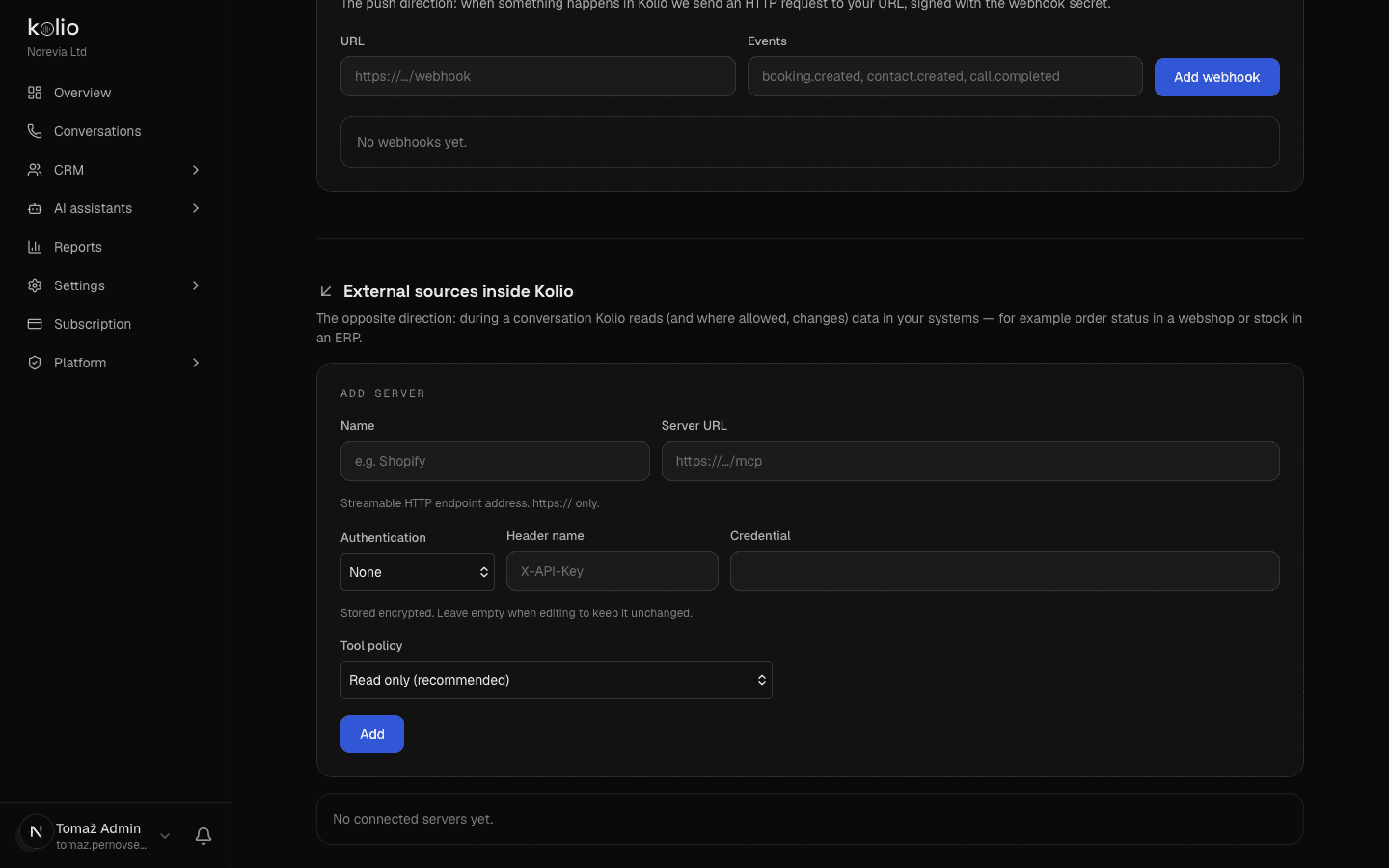
Prepare the receiving URL
On your server prepare a path that accepts a POST with a JSON body and responds in under 10 seconds (Kolio aborts the request after 10 s). The address must start with
http://orhttps://; use HTTPS in production.Add the webhook
In the Webhooks section enter the URL and, under Events, tick the events you want to receive (e.g.
Settings → MCP sources and integrations → Webhooksbooking.createdandcall.completed). If you tick nothing the webhook receives all events. Click Add webhook.Verify the signature
On creation Kolio shows the
whsec_…secret in the Webhook secret box — only once; store it in your system's secret store, the list later shows only its first few characters. Kolio signs every request with it: compute HMAC-SHA256 over the raw body and compare the result with theX-Kolio-Signatureheader (example below). If you also check the event age in the body or theX-Kolio-Timestampheader (e.g. at most 5 minutes), you reject replayed requests too.Manage the webhook
The list shows each webhook's state active / inactive; the Disable button pauses delivery, Delete removes it. An inactive webhook receives no events. Rotate secret generates a new secret and shows it once; the old one stops working immediately, so swap it on your server at the same time — events delivered between rotation and the swap fail signature verification.
| Event | When it fires | Fields in data |
|---|---|---|
booking.created | booking created over REST or MCP | bookingId, contactId, serviceId, slotStart, slotEnd, status |
booking.cancelled | booking cancelled over REST (status: cancelled) or MCP (cancel_event) | bookingId, contactId, slotStart |
contact.created | contact created over REST or MCP | contactId, firstName, lastName, email, phone |
task.created | task created over REST or MCP | taskId, title, status, assigneeEmail, contactId, dueAt |
task.updated | task changed over REST or MCP | same fields as task.created |
call.completed | a phone call by the AI agent (inbound) or by a team member over the web phone (direction tells which) has ended; sent once the conversation is saved | conversationId, externalId, channel (phone), direction, callerNumber, contactId, bookingId, durationSeconds, summary |
Booking, contact and task events are fired by the integration paths (REST and MCP), not by your team's actions in the app — a booking a member enters in the calendar sends no webhook. The exception is call.completed, which every completed phone call sends.
POST /webhook HTTP/1.1
Content-Type: application/json
X-Kolio-Event: booking.created
X-Kolio-Timestamp: 2026-09-15T08:14:22.318Z
X-Kolio-Signature: sha256=3f1a9c…

{
  "event": "booking.created",
  "tenantId": "…",
  "timestamp": "2026-09-15T08:14:22.318Z",
  "data": {
    "bookingId": "…",
    "contactId": "…",
    "serviceId": "…",
    "slotStart": "2026-09-22T07:00:00.000Z",
    "slotEnd": "2026-09-22T07:30:00.000Z",
    "status": "confirmed"
  }
}X-Kolio-Event header carries the event name, X-Kolio-Timestamp the event time (equal to the timestamp field), X-Kolio-Signature the signature.import { createHmac, timingSafeEqual } from "node:crypto";
function verifyKolioSignature(rawBody, signatureHeader, secret) {
const expected = "sha256=" + createHmac("sha256", secret).update(rawBody).digest("hex");
const a = Buffer.from(expected);
const b = Buffer.from(signatureHeader ?? "");
return a.length === b.length && timingSafeEqual(a, b);
}Limits and good practice
Kolio REST API v1 has no idempotency key and no webhook retries, so the integration itself must prevent duplicate records — by checking for existence before creating and by storing the ids Kolio returns.
| What | Value |
|---|---|
| Maximum records in a list | limit default 50, maximum 200; no pagination (cursor/offset) — narrow with from/to or filters |
| Webhook timeout | 10 s per request, one attempt |
| Idempotency | not supported — a repeated POST creates a new record (a booking only if the slot is free) |
| Attachments | cannot be uploaded over the API; a task timeline returns only attachment metadata and a download path that requires a member session |
| Key scopes | fixed at creation; changing them means a new key |
| Audit trail | every task change and every contact note made over the API carries the author api: + key name |
- Use a separate key with its own name for each integration — the timeline shows which integration acted, and you can revoke it without stopping the others.
- Before
POST /contactslook the contact up byemail,phoneorexternalId; beforePOST /bookingsread the occupancy of the period and, with several locations, passlocationId. - To cancel a booking use
PATCH { "status": "cancelled" }, to close a taskPATCH { "status": "arhivirana" };DELETEis permanent and also removes the timeline. - Send times with an offset and store the ids from responses (
data.id) — they are the only reliable key for a later PATCH. - Handle errors by the
errorfield, not by themessagetext, which is meant for people and may change.