Fewer repetitive calls
Price, lead time, opening hours, order status — Kolio answers from your systems; the team only gets the calls that need a decision.
Kolio is call center automation for mid-sized companies: on all your numbers, your website and email it takes the first contact, answers from your systems, qualifies the inquiry and hands it out as a task by team and location in the CRM. Roles and permissions decide who sees what; managers follow in reports what the agent resolved alone.
free consultation · rollout team by team · self-service also possible
Written by the Kolio team · updated
Call center automation with Kolio does not remove the team; it takes the repetitive questions and the first contact off their hands — four results a manager notices in the first month.
Price, lead time, opening hours, order status — Kolio answers from your systems; the team only gets the calls that need a decision.
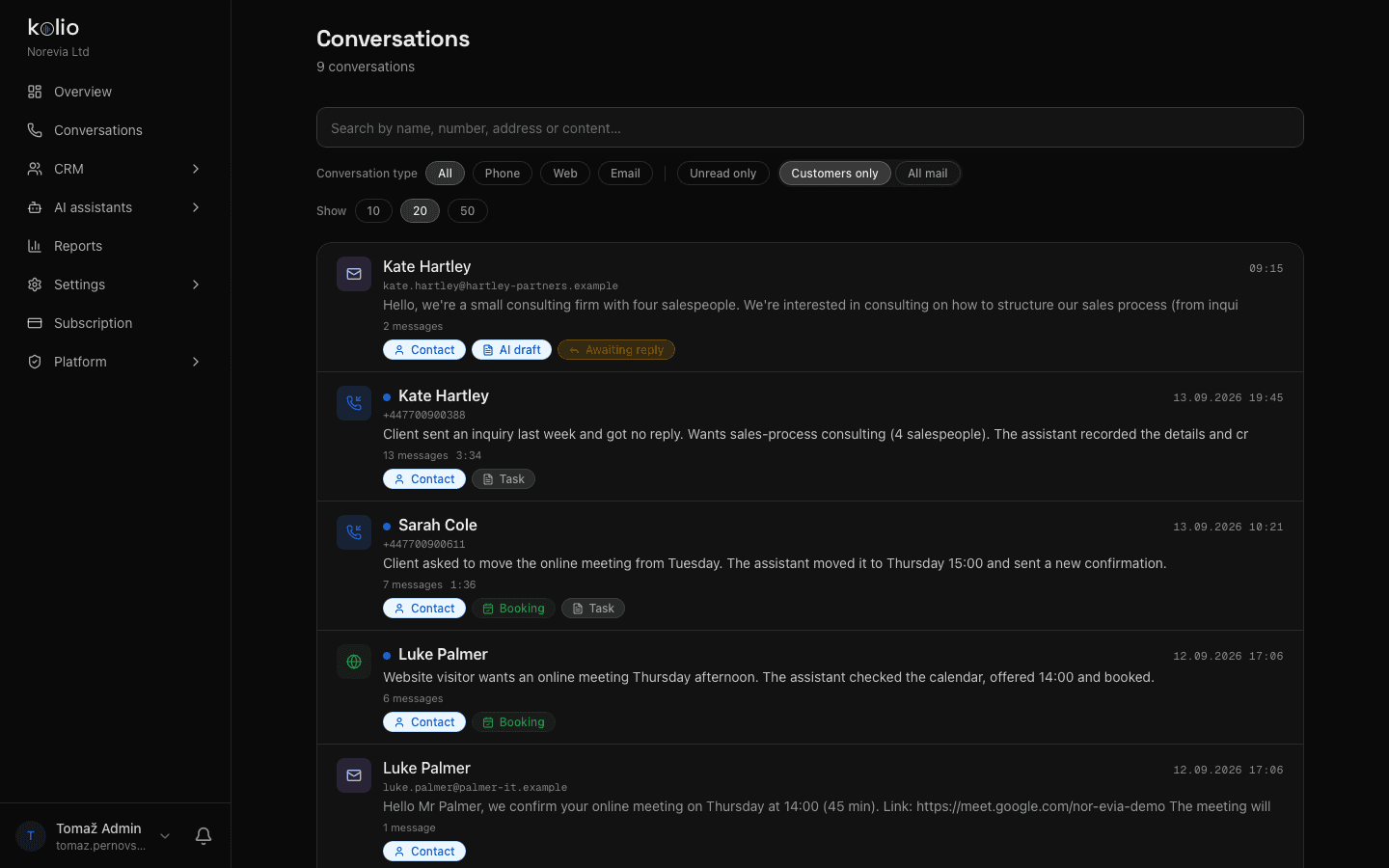
Phone, web and email land in the same Conversations and on the same contact; every conversation has a transcript and a summary.
Number of calls, duration, conversion to appointments, contacts and tasks created and the most frequent topics by day.
Your team calls back with the web softphone on the same number, with live transcription and the contact in view.
Instructions, knowledge base and channels apply to all locations; everyone sees a change immediately.
Creates admins and agents, assigns permissions and a location; the member sets a password through a one-time link.
Reports, GDPR export and deletion, API keys and webhooks for connecting other systems.
Assigns tasks from inquiries to members of the team and follows each task's timeline.
Reads transcripts and summaries and refines the instructions where the agent's answers fall short.
Calls by day, duration, conversion to appointments, most frequent topics and services.
Every task carries the contact, summary and transcript of the conversation; nothing is asked twice.
Web softphone on the same number, with live transcription and the contact next to the call.
Quote, order or resolved complaint — the comment and attachments stay in the timeline.
Kolio connects to your existing ERP or CRM in both directions without replacing it: as a client it reads — and, if you decide so, writes to — your systems over MCP; as a source it notifies your systems through the REST API and webhooks. Telephony stays with your carrier — Kolio connects over SIP.
The REST Integrations API and MCP server with scoped API keys return appointments, contacts, tasks and conversations; webhooks report a new contact, appointment or task the moment it is created.
Call center automation means that the first contact with the customer on phone, web and email is taken by an AI agent that answers from the company's systems, books appointments itself and hands every case that needs a decision to the team as a task with the transcript. Kolio does this for mid-sized companies with several numbers, locations and roles — the team stays, what it works on changes.
Five moments from the day of a mid-sized company with two locations: what Kolio does on its own and what the team sees at the same moment.
A customer calls a branch that is not open yet
Kolio gives the order status from the ERP and the delivery date; the call is in Conversations with a transcript, on the customer's contact.
14 messages arrive in the shared mailbox
Kolio answers the routine ones from the knowledge base and creates a support task for the complaint; bulk mail is flagged and left unanswered.
The sales manager distributes tasks
Three qualified inquiries from another language and location get an owner; the task timeline shows who did what.
A customer reschedules a viewing at the other branch
Kolio moves the appointment in the right location's calendar and sends a new confirmation; the installer sees the change at once.
The manager opens the reports
Calls by hour, share resolved without the team, conversion to appointments and the day's topics — the basis for tomorrow's instructions.
Relieving the sales and support team with Kolio is measured in reports: how many calls and chats the agent resolved without the team, how many appointments, contacts and tasks were created, and which topics and services keep recurring. Answer quality is checked in the transcripts — every conversation is recorded in text — and corrected in the instructions, not in code.
| Criterion | Classic call center | Outsourced provider | Kolio |
|---|---|---|---|
| Availability | office hours, shifts | per contract | 24/7 on every channel |
| Knowledge of your products | training every agent | scripts, limited | instructions + knowledge base + your systems, one setup |
| Order or repair status | agent looks it up in the ERP | usually not | reads it from the ERP over MCP; does not guess without data |
| What happens with a complex case | transfer, waiting | an email message | a task for the right team and location with the transcript |
| Record of the conversation | recording, rarely a transcript | per contract | transcript and summary on the contact, no audio recording |
| Quality control | sample listening | provider's reports | every transcript + reports by day, topic, service |
| Scaling | new agents, shifts | renegotiation | more numbers and locations in the same account |
Kolio does not transfer live calls: a case that needs a decision becomes a task, and the team calls back with the web softphone.
Neon database in Frankfurt, telephony bridge and voice bot on a server in Frankfurt; no audio recording is stored, only a transcript with a 365-day retention.
Owner, admin and agent with granular permissions per module; API keys never exceed the rights of the member who issued them.
A data processing agreement under Article 28 GDPR and the list of sub-processors are available on request via the Contact page; Kolio holds no ISO 27001 or SOC 2 certification and does not claim one.
In the introductory consultation we list numbers, locations, teams and the most frequent customer questions, and define what the agent may do alone and what it hands to which team.
Your team enters websites and PDFs into the knowledge base, we help with the instructions; the owner creates admins and agents with permissions and a location.
SIP accounts for every location, the email mailbox and the ERP/CRM connection over MCP — read-only first, writing switched on tool by tool.
In the first week the agent works on one number; the manager reads transcripts and refines the instructions, then we switch on the remaining locations and reports.
A Kolio rollout in a mid-sized company typically takes two to four weeks: consultation and first-contact inventory, instructions and knowledge base, roles, SIP accounts for all locations and the ERP or CRM connection, then a pilot on one number and switching on the rest. A self-service start in the 7-day trial is possible immediately.
Kolio does not replace your existing CRM or ERP: it reads data from them over the MCP connection (order status, delivery date, open items) and, if you decide so, writes to them, while returning its own contacts, tasks and appointments through the REST API, MCP server and webhooks. The built-in CRM is for companies that do not have one.
The quality of Kolio's answers is measured in transcripts and reports: every call, chat and email has a transcript and summary on the contact, and reports show the number of conversations, duration, conversion to appointments, contacts and tasks created and the most frequent topics. A weak answer is fixed in the instructions and the change applies at once to every channel.
One Kolio account supports several SIP accounts and dialled numbers; every number is routed by the dialled DID to the same agent, and services and team members carry a location label so the appointment lands in the right branch's calendar and the task with the right owner. The total is not capped by the plan.
Kolio has three roles — owner, admin and team member — with granular permissions per module (contacts, tasks, appointments, conversations, reports, settings). The owner has every permission, an agent typically sees their own tasks and conversations; API keys for integrations never exceed the rights of the member who issued them.
Kolio for a mid-sized company costs from €149 per month on the Growth plan (10,000 credits ≈ 200 calls, web softphone, MCP connections); a larger call volume, more locations and a guided rollout are on the Custom plan, defined in the consultation. The 7-day trial is free.
In the introductory consultation we list your numbers, locations and customer questions and propose a rollout team by team. Or start on your own in the 7-day trial.
the consultation is free · rollout in 2–4 weeks · no change of telephony