Answer customers instantly
Kolio answers “How much is it?”, “Is it in stock?” and “When will I get it?” 24/7 — from your price list, stock and knowledge base, by phone, on the web and by email.
Kolio is an AI agent for sales and support: it answers customer questions from your price list, stock and knowledge base, qualifies inquiries and hands them to your sales team as tasks, books appointments and reports order or repair status. One setup covers phone, web and email. It never issues quotes or places orders — your team does.
Free 7-day trial · no credit card · one setup for three channels
By the Kolio team · updated
The Kolio AI agent for sales answers customer questions about price, stock and lead time, qualifies an inquiry and hands it to your sales team as a task in the CRM, and books appointments in the Calendar on its own. It answers from your data — price list, stock and knowledge base — and never guesses; a quote with an individual price is always issued by your sales team.
Kolio answers “How much is it?”, “Is it in stock?” and “When will I get it?” 24/7 — from your price list, stock and knowledge base, by phone, on the web and by email.
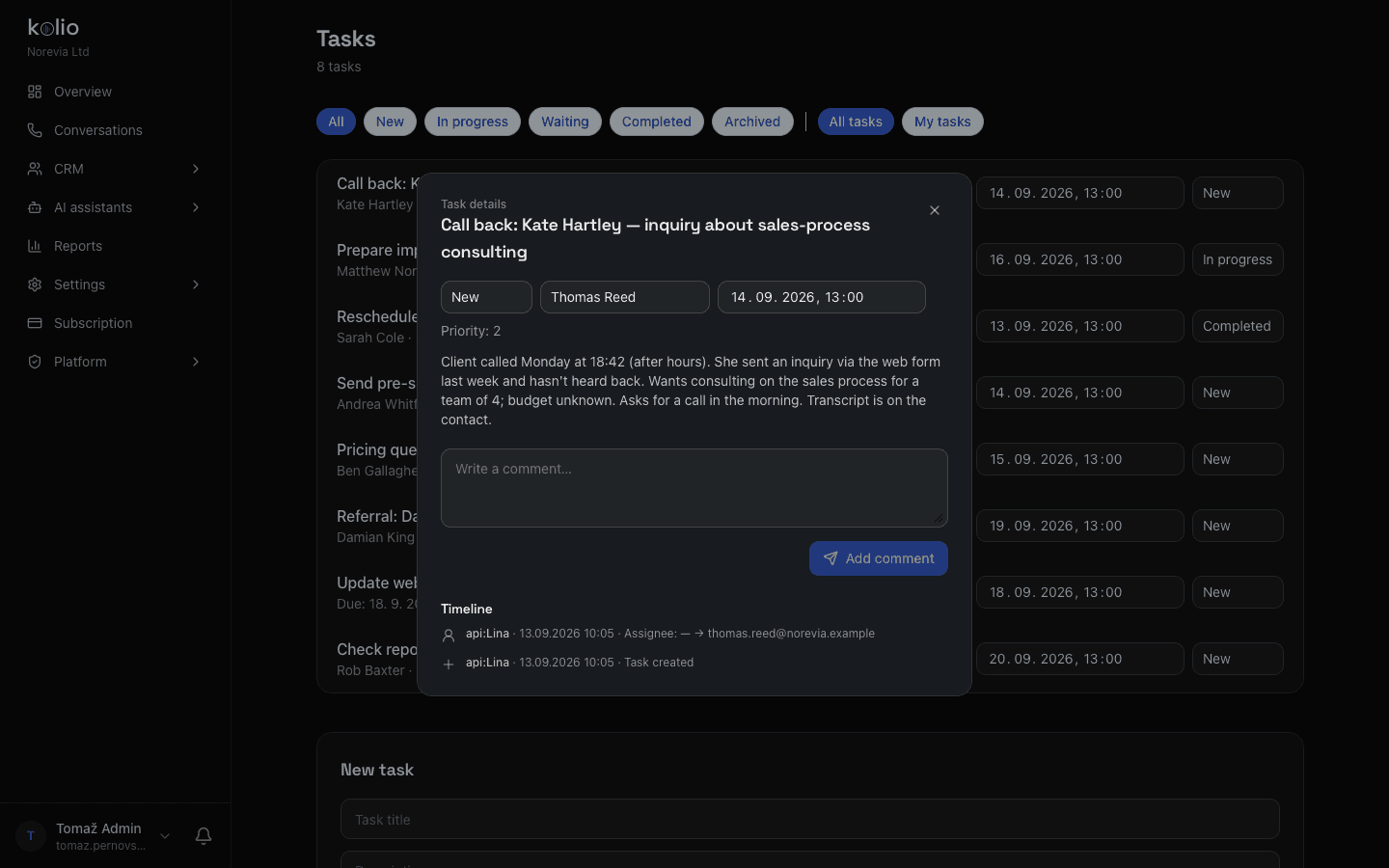
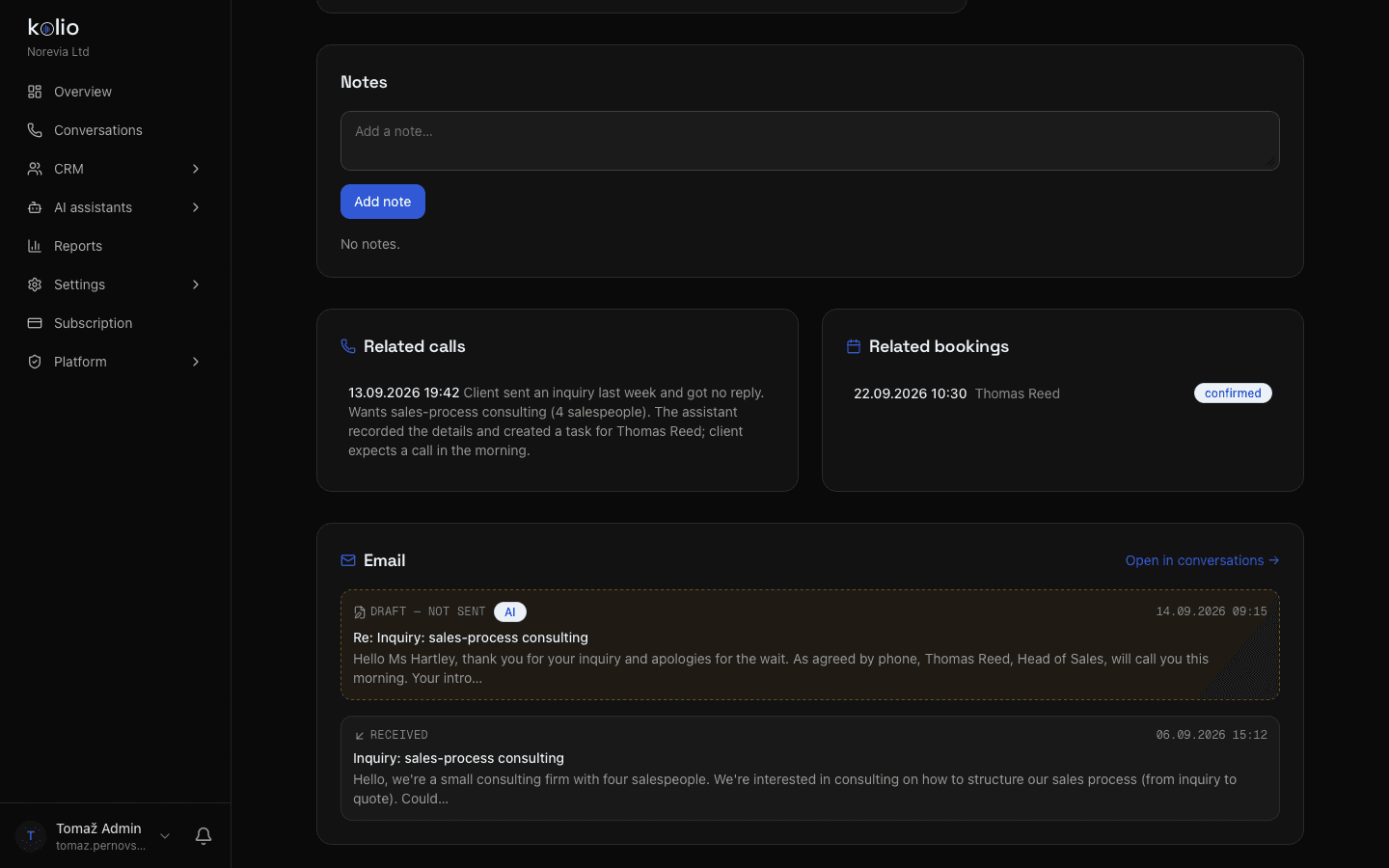
Kolio asks what the customer needs, by when and for how many people, takes their contact details and hands the inquiry to your sales team as a task with a summary and transcript.
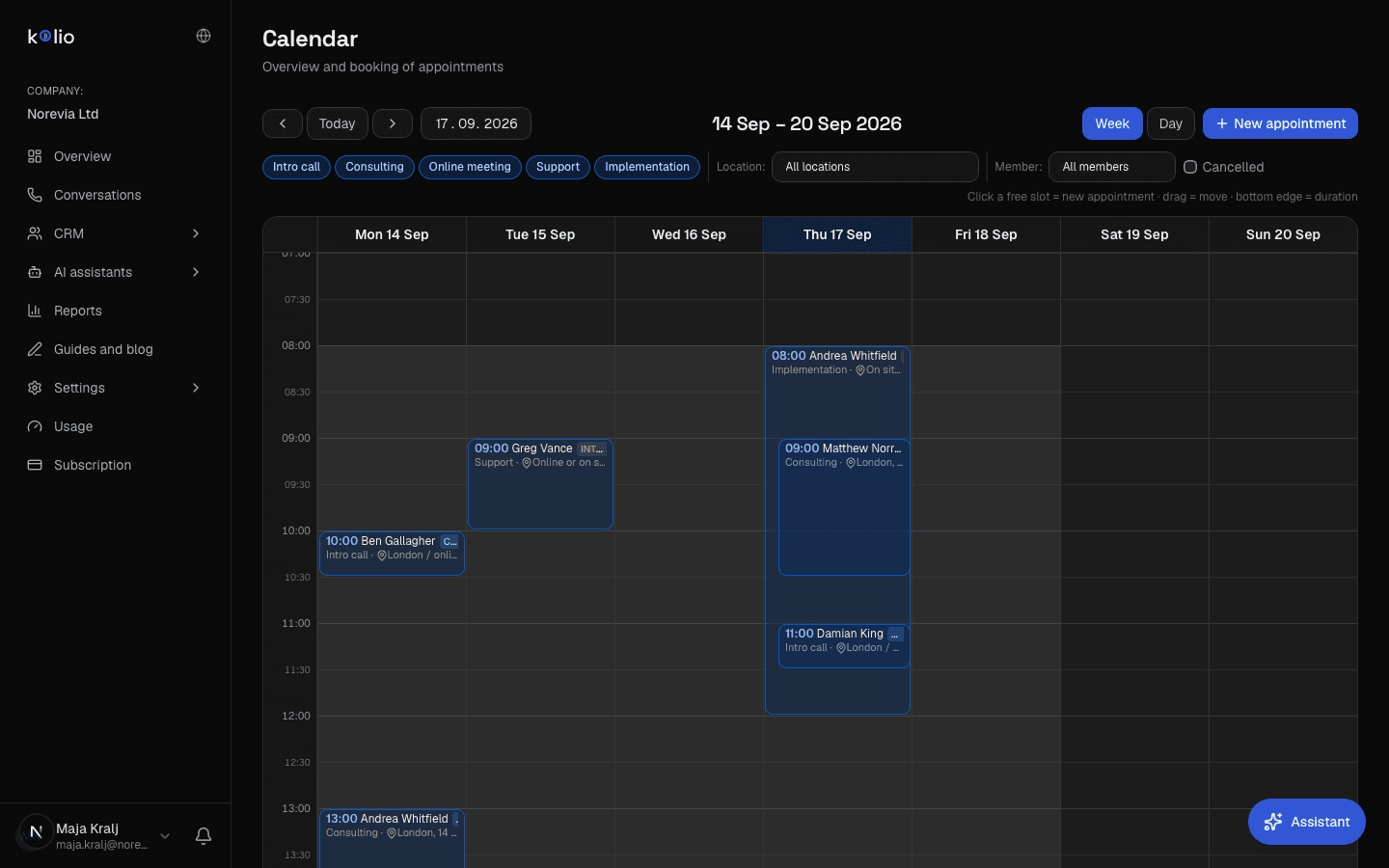
Kolio offers free slots from your calendar, books the appointment during the conversation and confirms it — no callbacks and no double bookings.
The Kolio AI agent for customer support reports order, delivery or repair status from your connected online store, service system or ERP — after identifying the customer by phone number, email or order number. It records order changes and complaints and hands them to your team as a task; refunds and credit notes are decided by your team.
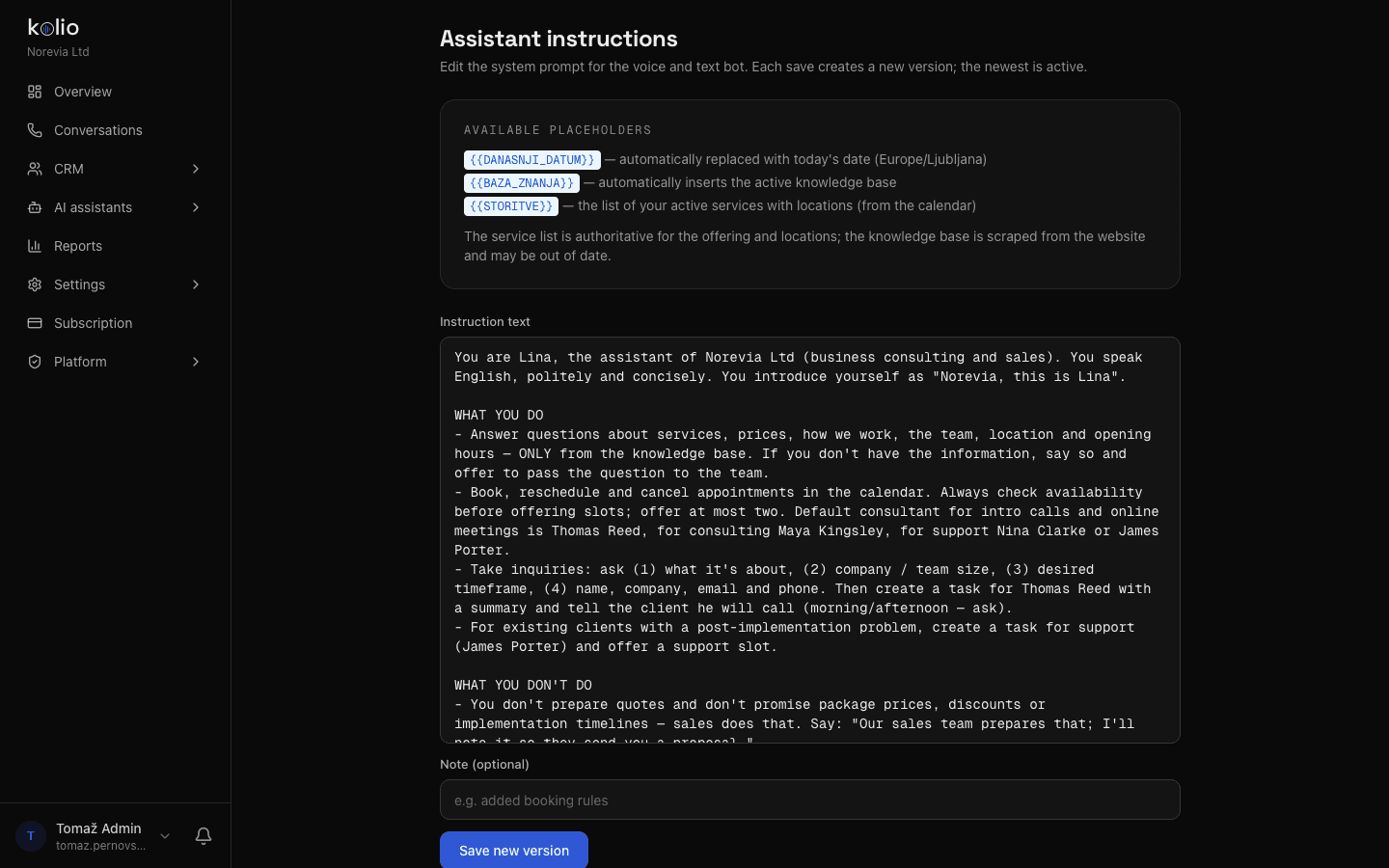
One set of instructions and one knowledge base in Kolio apply to all three channels at once: whatever you write once in plain sentences, the agent follows by phone, on the web and by email. You build the knowledge base from your website, PDFs and price list; every change is versioned and can be restored.
Instructions in plain sentences: “Never set discounts; sales issues the quote.” Knowledge sources: website, PDF, price list. Test in the simulator before you switch the phone on.
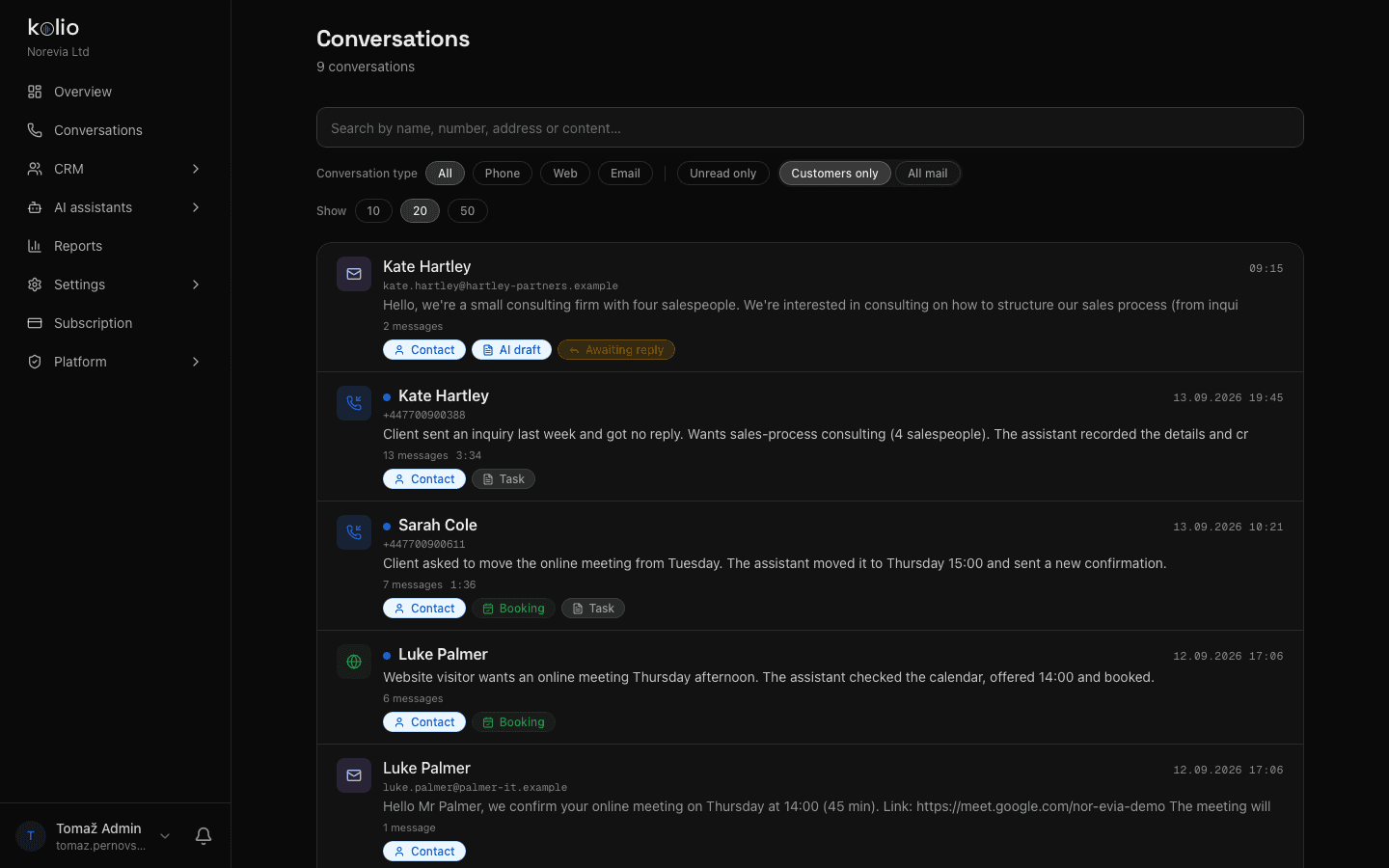
The Kolio AI agent represents you on three channels with the same setup: on your existing phone number (SIP), as a chat on your website with one line of code, and in your email inbox (IMAP/SMTP or Gmail). Every conversation — call, chat or message — is saved with a transcript and summary on the contact in the CRM.
An AI phone agent on your existing number: speaks 14 languages, can be interrupted, transcribes and summarises every call. No audio recording is stored.
Chat on your site with one line of code: your colour, language and greeting, the same answers as by phone, and visitors can attach an image or PDF.
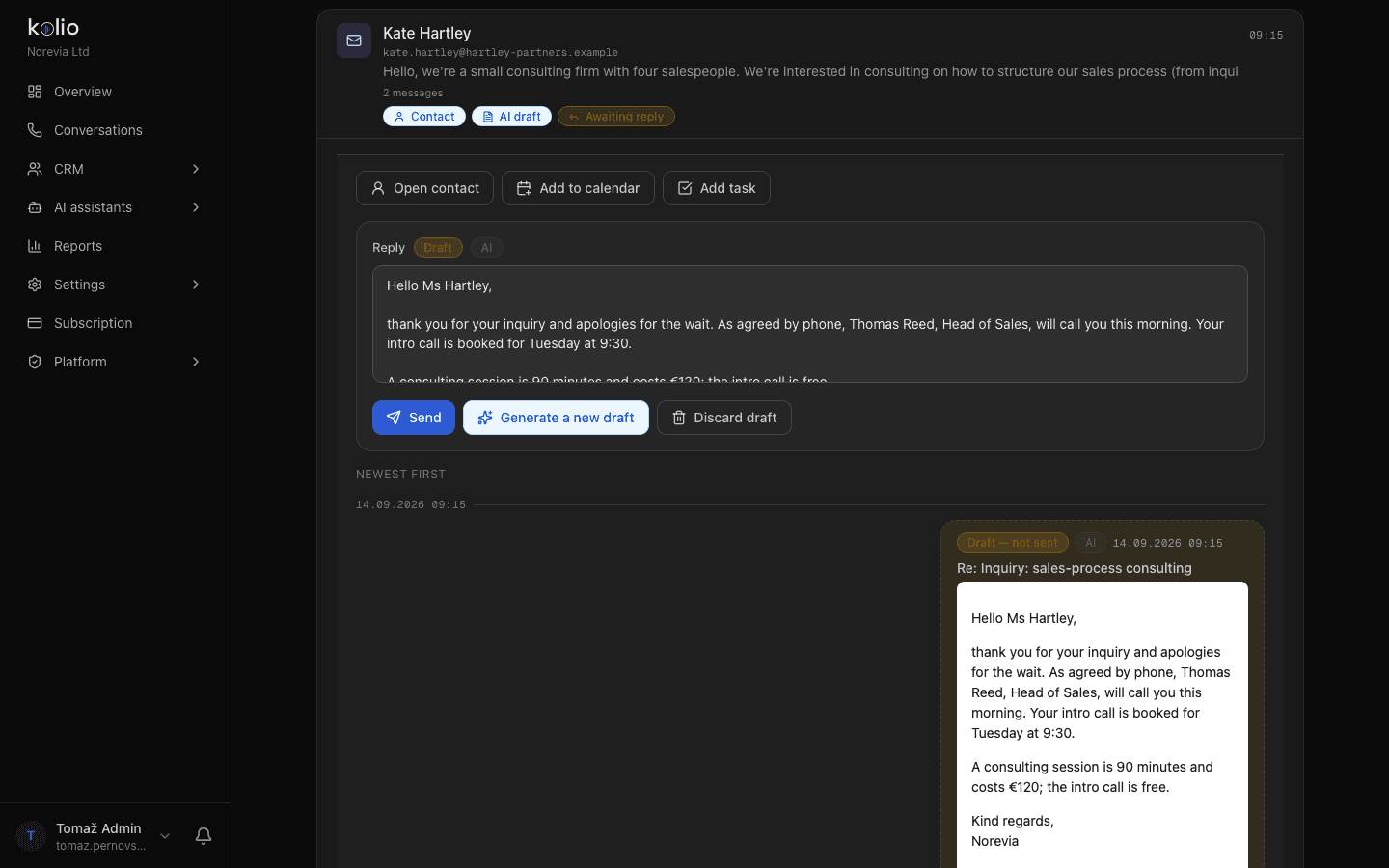
Kolio reads your inbox and replies from your address — in “draft” mode your team reviews first, in “automatic” mode it replies on its own. Bulk mail is recognised and skipped.
The AI call center features for your team in Kolio are a CRM with contacts and tasks, an internal appointment calendar and a browser softphone: every agent conversation ends as a contact, task or appointment your team can see, take over and complete. Transcripts are kept for 365 days; GDPR export and deletion are built in.
A contact with its full history — calls, chats, email, appointments — and tasks with an owner, priority and due date, created from conversations by the agent.
Week and day views, services with duration and staff, working hours and blocks; reschedule by dragging. The agent uses the same calendar for free slots.
A phone in the browser: your team calls from the contact card and takes calls, the conversation is transcribed live and saved on the contact — nothing to install.
Kolio connects to your systems in both directions: the agent reads price lists, stock and order status from your online store, ERP or service system, while your systems read and write Kolio's appointments, contacts and tasks through the REST API, MCP server and webhooks. Writing to an external system is always your deliberate decision — by default the agent only reads.
The Kolio AI agent does not issue quotes, set discounts or place orders — anything with a financial consequence is handed to your team as a task with the transcript, and the customer is told who will get back to them and by when. When the answer is not in your data, it does not guess: it records the question and creates a task.
| Customer request | Kolio AI agent | Your team | Channel |
|---|---|---|---|
| Price, stock, lead time | Answers from the price list and knowledge base | — | phone · web · email |
| Request for a quote | Qualifies, takes contact details, creates a task | Issues the quote | phone · web · email |
| Appointment, viewing, meeting | Books the slot in the Calendar | — | phone · web · email |
| Order or repair status | Checks the system and answers | — | phone · web · email |
| Change or complaint | Records it and creates a task | Decides and confirms | phone · web · email |
| Discount, individual price | Never sets it — hands over a task | Sales decides | — |
| Placing an order | Never orders — hands over a task | Confirms the order | — |
You set the limits in the instructions; the agent follows them on all three channels.
Sign in with Google or email; 7 days free with no credit card. In plain sentences, write down what the agent may do alone and what it hands to your team.
Enter your website, upload PDFs and the price list; optionally connect your store, ERP or service system. The agent answers only from what you have given it.
Connect your SIP number, paste the embed code on your website or connect your inbox. Test the conversation in the simulator before it goes live.
The Kolio AI agent answers questions about price, stock and lead time on its own, qualifies inquiries, books appointments and reports order or repair status from your data. Quotes, discounts, product orders, order changes and complaints are handed to your team as a task with the conversation transcript — any decision with a financial consequence is always yours.
In Kolio the instructions and knowledge base are shared by all three channels: what you write once applies by phone, on your website and by email. Only the channel itself is switched on separately — you connect a SIP number, paste the embed code or connect an email inbox.
As an AI call center, Kolio takes calls on your existing number 24/7 in 14 languages, transcribes and summarises every call, saves it on the contact in the CRM, creates a task or appointment from the conversation and gives your team a browser softphone for calls from the contact card. No audio recordings are stored; transcripts are kept for 365 days by default.
Kolio has a built-in CRM with contacts, tasks and conversation transcripts that works immediately, without any integrations. You connect an existing CRM, ERP or online store through the REST API, MCP server or webhooks — the agent reads price lists, stock and order status from them, and writing to the external system is enabled separately.
When the answer is not in the price list, knowledge base or a connected system, the Kolio AI agent does not guess or invent: it tells the customer your team will check, takes their contact details, records the question and creates a task with the conversation transcript. The customer learns who will get back to them and by when.
Kolio costs from €49 per month; the first 7 days are free with no credit card. You start by signing up, writing the instructions, adding knowledge sources and switching on the first channel — phone, website or email; setup takes a few minutes, with no programming.
Write the instructions, add knowledge sources and switch on phone, web or email. Anything with a financial consequence stays with your team.
Free 7-day trial · from €49 per month · cancel anytime